Popul8 Express 6.0.0 - alpha 20260511
Release Date: May 11, 2026
📚Packages
0.19.0 demo-express
- No changes made in this release.
- More info here
🚀 New Features
-
Character Agent Integration - Popul8 now supports integration with external systems and agent-driven workflows.
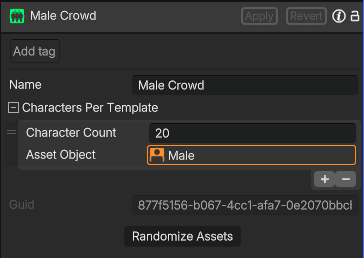
Crowds can be procedurally generated and exported directly through agent requests. This integration provides a more scalable and efficient workflow for automated crowd generation, configuration, and export.Current Supported Crowd Commands:
- Create (CROWD-CREATE) - define and configure crowd variations
- Render (CROWD-RENDER) - generate a crowd preview
- Export (CROWD-EXPORT) - export crowds ready for rendering in Unity or Unreal Engine
-
Improved Asset Import - You can now choose between multiple import modes for faster and more flexible project setup.
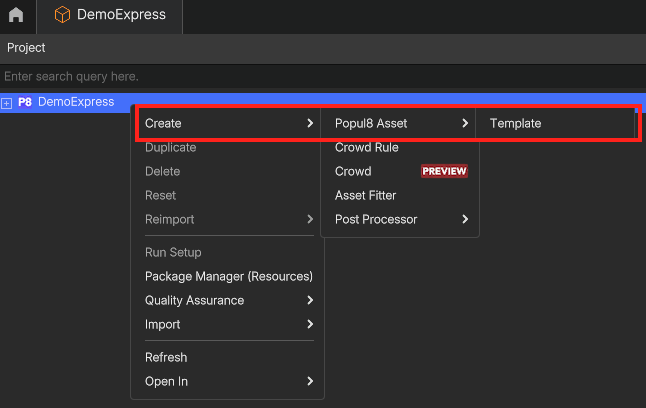
In addition to the Import Files... and Import Folders... assets can now be imported directly as a Template, Shape or Deformable.- Import Template - Right click on the project component Create > Popul8 Asset > Template
- Import Other Assets - Right click your base character Create > Popul8 Asset > Template
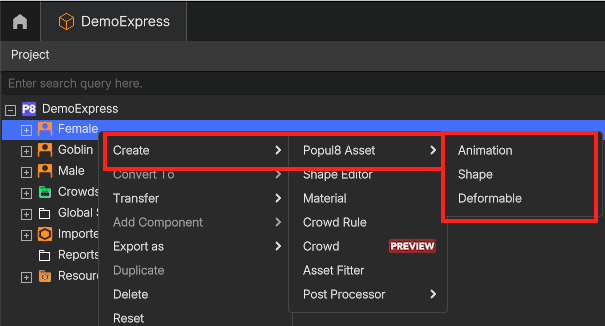
Assets imported using these options are automatically assigned to the selected category and will no longer be placed inside the Imported Assets folder.
The previous import workflow has also been improved. When using Import Files... or Import Folders..., the converted main asset now remains in the Imported Assets folder and can be reused multiple times.
-
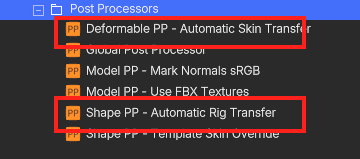
New Auto Rig/Skin Post Processor
A new Auto Rig/Skin Post Processor is now enabled by default on all projects.
When importing a Shape or Deformable without an existing rig, Popul8 will automatically generate one, making the asset immediately compatible with your Base Character.
- New Crowd Rules Setup - New options have been added to make crowd variation setup more flexible and efficient.
- Support for Empty Rules inside the graph;
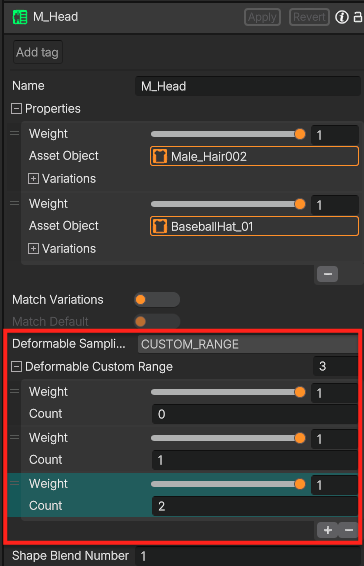
- Added CUSTOM_RANGE- Define whether a rule uses none or multiple deformables. Automatically randomizes between the defined values;
-
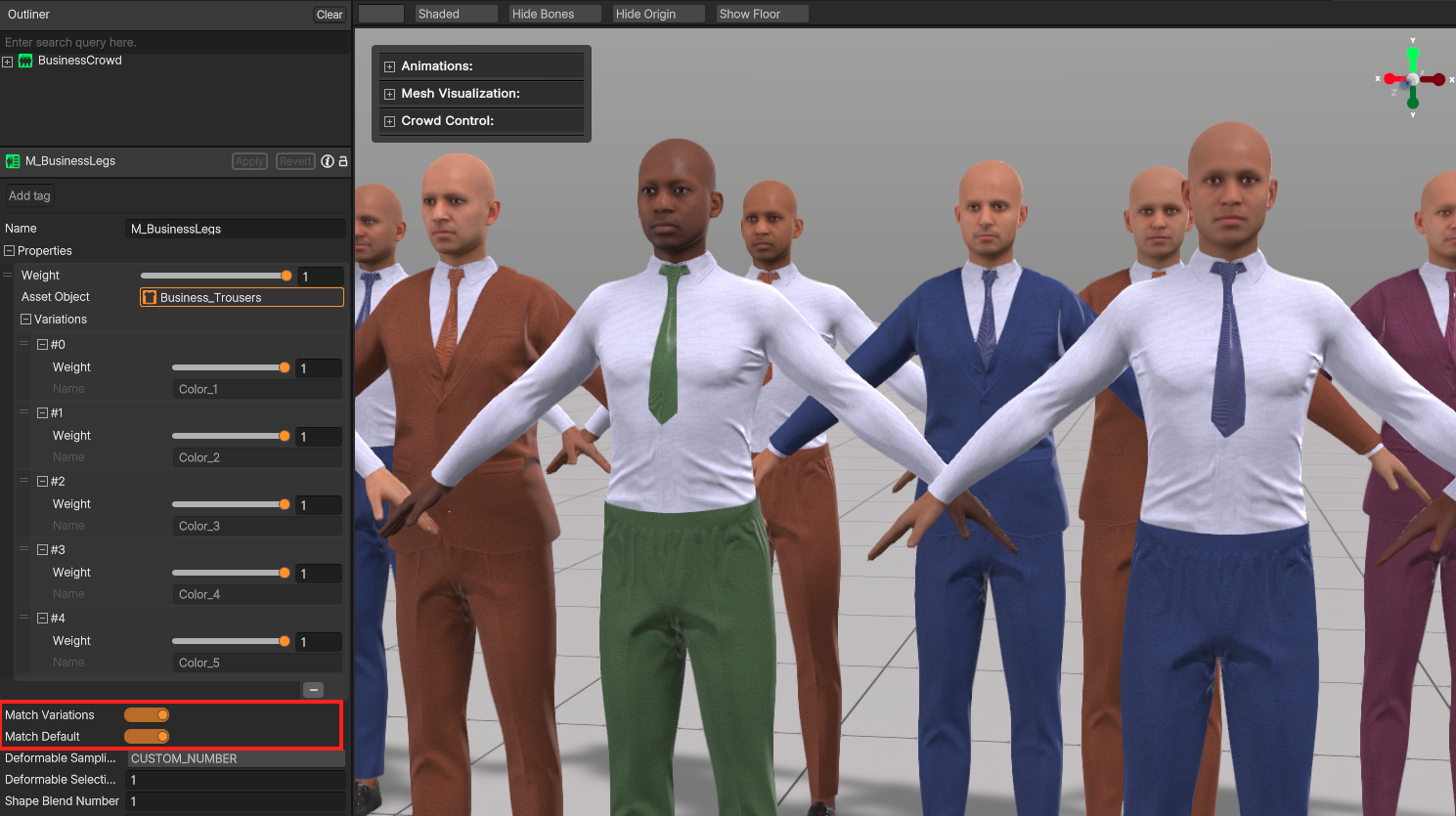
- Added Match Variations / Default flag - Matches the names of existing material variations. Automatically selects a compatible variation when available. This greatly simplifies the crowd graph.
🛠️ Improvements
- Zoom is now available inside the graph editor.
- Graph windows can now be resized.
- Removed Apply Character Count from the Crowd component. Number of characters are now automatically updated when clicking Apply